SIEM vs MDR Differences That Matter to Your Business
  • Aug, Thu, 2026

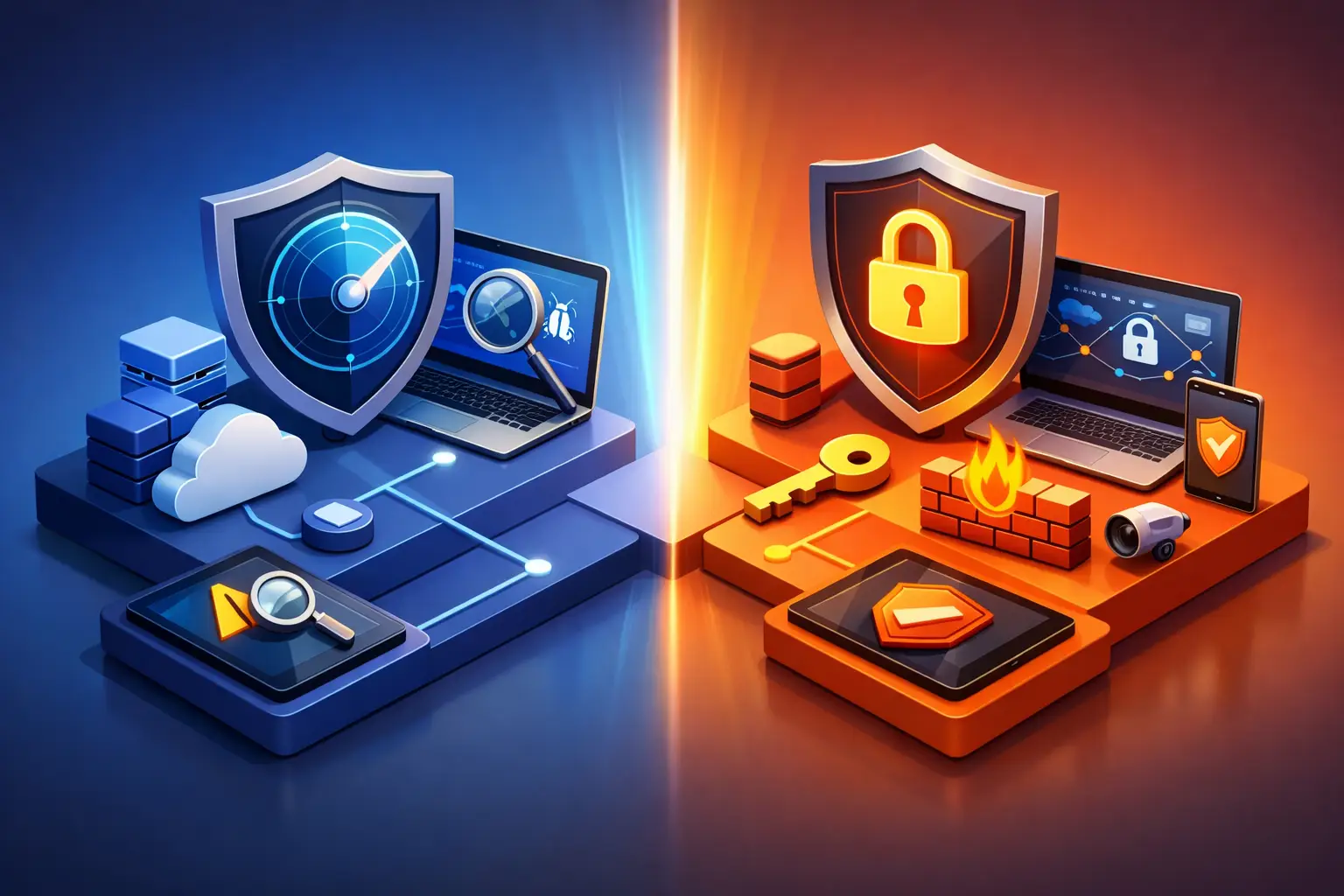
SIEM vs MDR Differences That Matter to Your Business

A security alert at 2:13 a.m. is not a security outcome. For a growing business, the real question is who sees that alert, determines whether it is dangerous, contains the threat, and documents what happened before business operations are affected. That is where the SIEM vs MDR differences become practical rather than theoretical.

Both can strengthen cyber defense. Both may be part of a mature security program. But they solve different problems, demand different levels of internal ownership, and carry very different implications for a small or mid-sized business trying to manage risk without building a full enterprise security team.

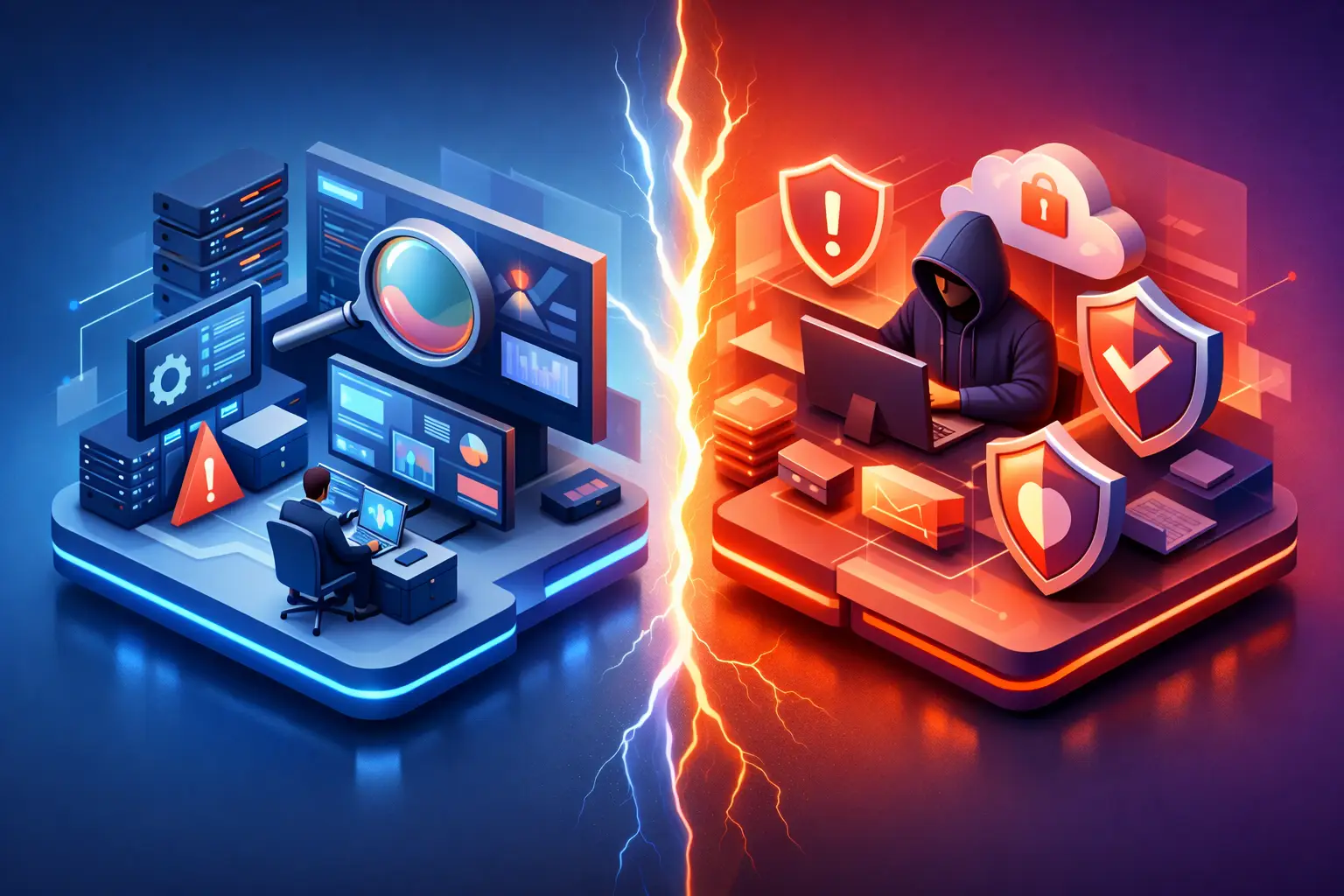
SIEM vs MDR Differences: Platform vs. Security Operation

SIEM stands for Security Information and Event Management. A SIEM is a technology platform that collects and analyzes security logs from across an environment. It can ingest data from firewalls, servers, endpoints, Microsoft 365, cloud applications, identity systems, and other sources. The goal is to centralize visibility, correlate events, and flag activity that may indicate a threat.

For example, a SIEM might connect a suspicious login from an unfamiliar country, repeated failed password attempts, and an unusual data download from a user account. By putting those signals together, it can generate an alert that deserves investigation.

MDR stands for Managed Detection and Response. MDR is a managed security service delivered by trained security professionals and supported by detection technology. An MDR provider monitors activity, investigates suspicious behavior, validates threats, and takes or recommends response actions based on an agreed process.

The distinction matters: a SIEM gives your organization a system for collecting and analyzing security data. MDR gives your organization people, processes, and technology focused on finding and responding to threats. An MDR service may use a SIEM, endpoint detection and response tools, threat intelligence, and other platforms behind the scenes. But buying a SIEM alone does not automatically provide 24/7 monitoring or incident response.

What a SIEM Does Well

A well-designed SIEM can be valuable for organizations that need broad log visibility, detailed reporting, or a centralized audit trail. This is especially relevant in regulated environments where leadership must demonstrate that systems are monitored and access activity can be reviewed.

SIEM platforms are often a strong fit when an organization has an internal security team that can manage the operational work. That work includes deciding which logs matter, connecting data sources, creating detection rules, tuning alerts, investigating findings, maintaining retention policies, and responding when the system identifies risk.

This last point is often underestimated. A SIEM can generate a significant number of alerts, especially before it has been tuned to the organization’s environment. Some alerts will be benign. Others may require immediate action. Without experienced staff to distinguish between the two, the organization may pay for extensive visibility without gaining dependable protection.

A SIEM also does not inherently stop an active attack. It can provide the information needed to make a decision, but the response process must be defined and staffed separately. For businesses with an established security operations center, this can be a reasonable model. For many small and mid-sized businesses, it creates an operational gap.

What MDR Adds Beyond Detection Tools

MDR is built around the work that follows detection. The service provider continuously monitors covered systems, investigates meaningful alerts, and escalates confirmed threats according to the response plan. Depending on the service scope and authorization, the provider may isolate a compromised device, disable a risky account, block malicious activity, or guide your internal team through containment.

This human analysis is one of the most significant MDR advantages. Attackers often use legitimate credentials and common administrative tools, making malicious activity harder to identify through automated rules alone. Skilled analysts can assess the context around an alert: who the user is, whether the activity fits their role, what systems were accessed, and whether the pattern resembles known attacker behavior.

For an operations leader or business owner, MDR also creates clearer accountability. Instead of asking whether someone reviewed the alerts, you have a security partner responsible for monitoring, triage, escalation, and documented response. That does not remove your organization’s role in security decisions, particularly decisions affecting users or critical business systems. It does mean you are not relying on a general IT help desk or a busy internal administrator to watch security events around the clock.

The Operational Differences That Affect Risk

The SIEM vs MDR differences are most visible when a suspicious event becomes a possible incident. With SIEM, the platform may alert your team to unusual activity. Your team, or another service provider, must investigate and decide what to do next. With MDR, the provider is typically already investigating, applying threat intelligence, and following an incident workflow.

That changes the speed and consistency of response. In ransomware incidents, a delay of even a few hours can allow an attacker to move between systems, steal data, disable backups, or encrypt a larger portion of the network. Continuous monitoring and a defined response process can reduce that window.

The difference is also visible in staffing requirements. A SIEM generally requires security engineering and analyst expertise to deliver its full value. MDR shifts much of that specialized burden to the service provider. Your internal IT team can stay focused on business applications, user support, infrastructure projects, and strategic priorities while security analysts handle threat investigation.

Neither approach eliminates the need for sound IT fundamentals. Multifactor authentication, patching, tested backups, identity management, security awareness training, and documented incident procedures remain essential. MDR is not a substitute for those controls. It is a way to detect and respond when preventive measures are bypassed or fail.

Cost Is More Than the Software License

A SIEM may appear less expensive when comparing a software subscription with a managed service fee. That comparison is incomplete. The real cost of SIEM includes implementation, log storage, integrations, ongoing tuning, analyst time, after-hours coverage, and incident response readiness.

For organizations with an existing security team and a high volume of data that must be retained or analyzed, investing in SIEM capability can make strategic sense. Larger organizations may also need a SIEM for specialized compliance reporting or custom detection use cases.

For a business without dedicated security analysts, MDR is often the more predictable path. The monthly service cost supports monitoring expertise and an established security operation rather than requiring the company to recruit, train, and retain hard-to-find cybersecurity talent. The right choice depends on your risk profile, compliance obligations, technology environment, and internal capacity, not simply the price of a tool.

Choosing the Right Model for Your Business

Start with an honest assessment of ownership. If your organization deployed a SIEM tomorrow, who would review alerts after business hours? Who would tune false positives? Who could determine whether a suspicious Microsoft 365 login is a compromised account or a traveling employee? Who has authority to isolate a workstation if ransomware is suspected?

An MDR service is often a strong fit when your business needs 24/7 security coverage but does not have a staffed security operations center. It can be particularly valuable for healthcare practices, law firms, financial organizations, manufacturers, and professional services firms where downtime, sensitive data exposure, and compliance failures carry real financial consequences.

A SIEM may be appropriate when your internal security program is already mature and needs a central analytics and compliance platform. In some cases, the best answer is both: MDR for active monitoring and response, plus SIEM capabilities for broader log management, reporting, and custom security analysis.

Before selecting either option, ask prospective providers four direct questions:

  • What data sources and endpoints are covered by the service?
  • Is monitoring genuinely 24/7, including holidays and after-hours periods?
  • What actions can the provider take without waiting for approval?
  • How will incidents, response actions, and recommendations be documented for leadership or compliance reviews?

Clear answers reveal whether you are purchasing technology, meaningful security operations, or a combination of both.

Security Coverage Should Have an Owner

The goal is not to accumulate more security tools. It is to reduce the chance that a real threat is missed, misunderstood, or left unresolved while your team is focused on running the business.

For many small and mid-sized organizations, accountable MDR coverage provides the practical layer between an alert and a controlled response. Sigma Networks helps businesses align security monitoring, managed IT, compliance readiness, and business continuity around that outcome: secure IT that supports smarter business decisions.
Cybersecurity Trends for SMBs That Matter in 2026
  • Aug, Tue, 2026

Cybersecurity Trends for SMBs That Matter in 2026

A compromised Microsoft 365 account can now do more than send a few suspicious emails. It can expose invoices, redirect payments, access shared files, impersonate leadership, and give an attacker a foothold for weeks. That is why cybersecurity trends for SMBs are no longer a technology conversation reserved for IT teams. They are a business continuity, financial control, and leadership issue.

Small and mid-sized businesses remain attractive targets because attackers know many organizations operate with limited internal IT capacity, inconsistent security controls, and little room for downtime. The threat landscape is changing quickly, but the practical response is not to buy every new tool. It is to understand where risk is concentrating, establish accountability, and build layered protections that can be monitored and maintained.

Cybersecurity Trends for SMBs: Identity Is the Primary Target

For many SMBs, usernames and passwords remain the front door to critical systems. Attackers increasingly target identities instead of trying to break through a firewall. They use credential theft, password-spraying attempts, fake login pages, session-cookie theft, and social engineering to access email, cloud applications, financial systems, and remote-access tools.

Multifactor authentication is still essential, but not all MFA methods offer the same protection. Text-message codes can be intercepted through SIM-swapping attacks, while push notifications can be abused through repeated prompts that pressure an employee into approving a login. Phishing-resistant methods, such as authenticator apps with number matching, hardware security keys, and passkeys, provide stronger protection where supported.

The trade-off is usability. A small firm may not need hardware keys for every employee on day one, but executives, finance staff, administrators, and anyone with access to sensitive client information should receive higher levels of identity protection first. Conditional access policies, least-privilege access, and regular account reviews help ensure that a single stolen password does not become a company-wide incident.

AI Makes Business Email Compromise More Convincing

Business email compromise is not new, but AI has made it faster and more believable. Attackers can produce clean, context-aware messages that imitate a vendor, an executive, or a project manager. They can research public information, mirror a company’s writing style, and create urgent requests for payment or sensitive data without obvious spelling errors.

Voice cloning adds another concern. A voicemail or phone call that sounds like a senior leader may be enough to push an employee toward an unauthorized wire transfer, gift-card purchase, or release of confidential information. The risk is especially high in professional services, healthcare, manufacturing, and financial organizations where employees regularly coordinate payments, records, and time-sensitive client requests.

Technology can reduce exposure through advanced email filtering, domain protection, and monitoring for suspicious sign-in activity. But financial controls matter just as much. Payment changes, wire instructions, and new vendor banking details should always require out-of-band verification using a known phone number or established contact method. A verbal request alone is not verification.

Ransomware Is Now an Extortion and Downtime Problem

Ransomware incidents are no longer limited to encrypted files and a ransom note. Many attackers first steal data, identify high-value systems, disable security tools, and threaten to leak sensitive information if payment is not made. Some use access to email or client records to increase pressure on the organization and its customers.

For an SMB, the most damaging outcome may be operational disruption rather than the ransom itself. A law firm that cannot access case files, a medical practice without scheduling systems, or a manufacturer unable to use production data can lose revenue and trust within hours. Recovery depends on more than having backups somewhere in the environment.

Effective recovery planning includes protected backups that cannot be easily altered by an attacker, clear recovery time objectives, documented restoration procedures, and regular testing. Backup success should be measured by whether critical systems can be restored within an acceptable timeframe, not by whether a backup job shows a green checkmark.

There is also a business decision to make: which systems must come back first? Email may be important, but an organization may need line-of-business applications, communications, identity services, or financial systems restored ahead of other data. That priority should be decided before an incident, with input from operations and leadership.

Cloud and SaaS Exposure Requires Better Visibility

Microsoft 365, cloud file storage, SaaS applications, and remote work have improved flexibility for SMBs. They have also expanded the number of places where data can be exposed. Over-permissioned file shares, inactive accounts, personal devices, unsanctioned applications, and external sharing settings can create risk without triggering an obvious security alert.

The key trend is not that cloud platforms are inherently unsafe. It is that security responsibility is shared. The provider secures its infrastructure, while the business remains responsible for user access, configuration, data handling, and monitoring activity within its environment.

A practical cloud security program starts with knowing where sensitive data lives and who can access it. Organizations should review external sharing, administrative roles, inactive accounts, and the applications connected to their Microsoft 365 or other cloud environments. For regulated businesses, these reviews also support compliance evidence and reduce the chance that a former employee or third-party app retains unnecessary access.

Managed Detection Is Replacing Alert-Only Security

Many SMBs already have antivirus, firewalls, and email protection. The problem is that these tools generate alerts, and alerts do not protect a business unless someone investigates and responds. An internal IT manager may be capable of handling security events, but they may also be responsible for user support, projects, vendors, infrastructure, and daily operations.

This is why managed detection and response has become a practical security trend for SMBs. MDR combines endpoint monitoring, threat analysis, investigation, and response support to identify suspicious activity before it turns into a larger incident. The value is not simply another dashboard. It is accountable oversight, including after-hours coverage when attacks often occur.

The right model depends on the organization. A company with a capable internal IT team may benefit from co-managed security operations that extend visibility and response capacity. A smaller business without dedicated security staff may need a fully managed approach. In either case, leadership should understand who is watching, what happens when a threat is detected, and who has authority to contain it.

Compliance Is Becoming an Operating Requirement

Compliance expectations are expanding beyond large enterprises. Clients, insurers, regulators, and business partners increasingly ask SMBs to demonstrate how they protect data, manage access, respond to incidents, and recover from disruptions. Healthcare, legal, financial services, engineering, and government-adjacent firms often face heightened scrutiny, but nearly every business can encounter security questionnaires during a vendor review.

Cyber insurance is also placing more emphasis on basic controls. Carriers may ask about MFA, backups, endpoint protection, privileged-access management, incident response planning, and employee security training. A policy can help with financial recovery, but it does not replace the controls needed to prevent an avoidable claim or satisfy policy requirements.

The most efficient path is to treat compliance as evidence of sound operations rather than a once-a-year paperwork exercise. Documented policies, tested recovery procedures, asset inventories, access reviews, and incident-response plans provide both security value and proof that the organization is managing risk responsibly.

What SMB Leaders Should Prioritize First

The volume of cybersecurity advice can make every initiative appear urgent. In practice, the best first steps are the ones that reduce the greatest business risk and can be sustained over time. Start with a current assessment of identities, endpoints, backups, email security, cloud configurations, and critical vendors. Then assign ownership for each gap.

Four priorities consistently produce meaningful risk reduction:

  • Enforce strong MFA and remove unnecessary administrator privileges, beginning with executives, finance, IT, and remote-access accounts.
  • Protect email and establish a non-negotiable verification process for payments, banking changes, and sensitive requests.
  • Test backup restoration for the systems that keep the business operating, not just for individual files.
  • Ensure security events are monitored and acted on around the clock, whether through internal staff, an MSSP, or a co-managed model.

Security awareness training should support these controls, not stand in for them. Employees need realistic guidance on reporting suspicious messages, protecting credentials, and verifying unusual requests. Training works best when it is brief, recurring, and connected to the scenarios employees actually face.

For Dallas-Fort Worth businesses managing growth, compliance expectations, and distributed technology, security planning should also be tied to the broader IT roadmap. A new cloud application, office expansion, merger, remote-work policy, or client requirement can introduce risk if security is treated as an afterthought. Sigma Networks approaches these decisions as part of a single operating model: secure IT, supported by clear ownership and long-term planning.

The goal is not to predict every attack. It is to make your business a harder target, limit the damage if an incident occurs, and give leadership confidence that technology can support growth without becoming an unmanaged source of risk.

Azure vs On-Premise Servers: What Fits Your Business?
  • Aug, Sun, 2026

Azure vs On-Premise Servers: What Fits Your Business?

A server decision can quietly shape every part of your business: how quickly employees can work, how well customer data is protected, how reliably systems recover after an outage, and how predictable IT spending remains as you grow. The Azure vs on premise servers question is not a simple contest between old and new technology. It is a business decision about control, risk, performance, compliance, and the internal resources required to operate either model well.

For many small and mid-sized businesses, the right answer is not entirely cloud or entirely on-premises. It is an intentional design that places each workload where it can be secured, supported, and recovered with the least business risk.

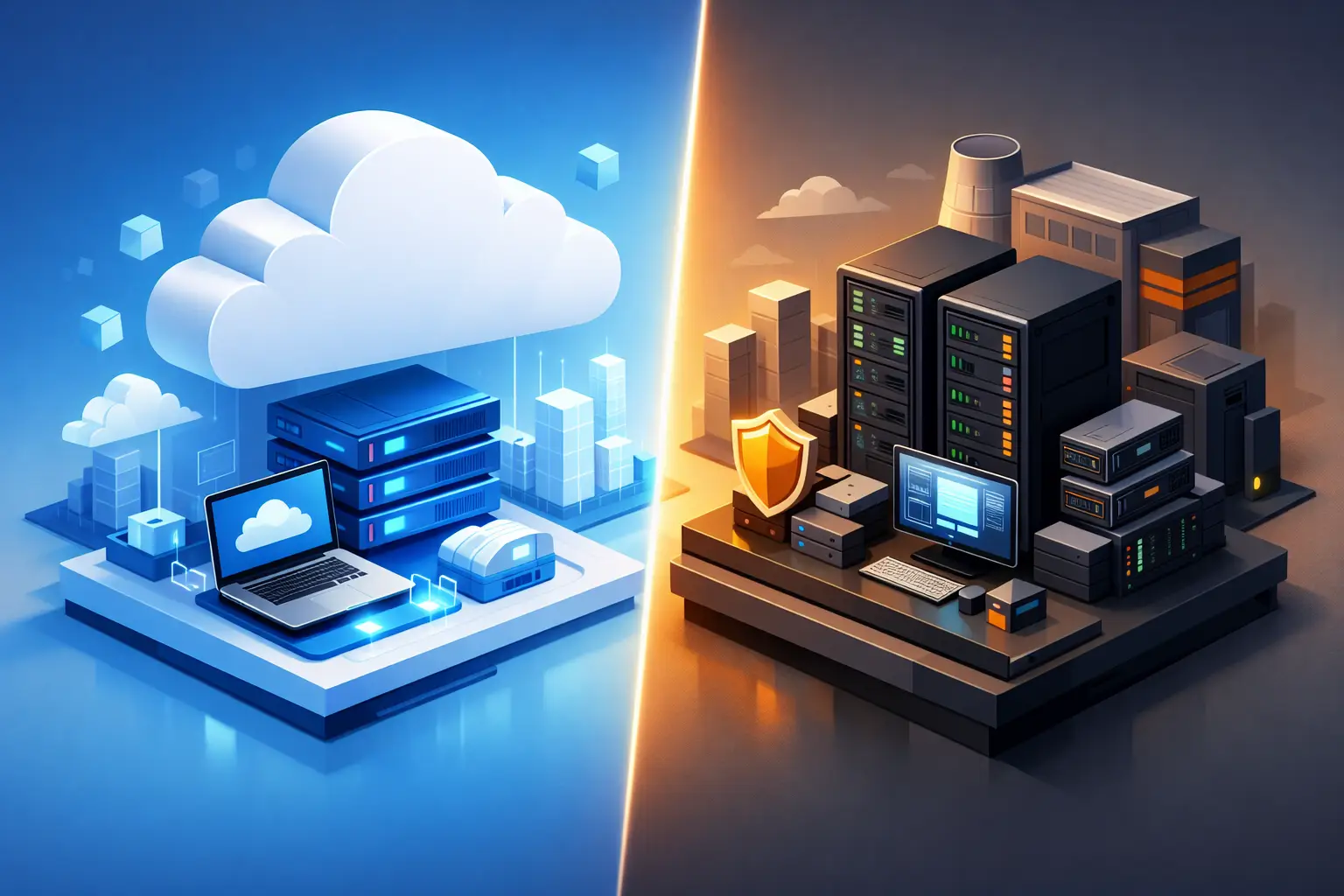
Azure vs on-premise servers: the core difference

On-premises servers are physical systems that your organization owns or leases and operates at a business location, colocation facility, or private data center. Your team determines the hardware, configuration, access controls, upgrade schedule, and replacement cycle. This can provide direct control, but it also assigns direct responsibility.

Microsoft Azure is a public cloud platform that provides computing, storage, networking, backup, identity, and security services through a consumption-based model. Rather than buying a server sized for the next several years, you can provision resources as needed and adjust capacity over time. Azure shifts much of the underlying facility and hardware responsibility to Microsoft, but your organization still owns critical responsibilities for configuration, identity, data protection, access, and monitoring.

That shared-responsibility distinction matters. Moving a workload to Azure does not automatically make it secure or compliant. An exposed storage account, weak administrator credentials, overly broad permissions, or an untested recovery plan can create serious risk regardless of where the server physically resides.

Cost: capital expense versus operating expense

The most visible difference is often cost structure. On-premises infrastructure usually requires a larger upfront investment in servers, storage, networking, power protection, licensing, backup systems, and possibly cooling or rack space. Hardware may run reliably for years, but it will eventually require replacement. Capacity planning also requires estimates – buy too little and performance suffers; buy too much and capital sits underused.

Azure generally converts much of that investment into a recurring operating expense. This can reduce the barrier to launching a new application, adding storage, or creating a disaster recovery environment. It can also improve financial flexibility for businesses that prefer to align costs with usage.

However, cloud costs are not automatically lower. Always-on virtual machines, unnecessary premium storage, data transfer charges, duplicate environments, and unmanaged growth can produce an Azure bill that surprises leadership. The value of Azure comes from matching services to actual needs, applying cost controls, and reviewing usage continuously.

For a stable application with predictable demand and a long life span, properly sized on-premises equipment may be cost-effective. For a business with seasonal demand, acquisitions, remote teams, new locations, or rapidly changing requirements, Azure’s elasticity can justify the ongoing expense.

Security and compliance depend on operations

Both environments can support strong security. Neither is secure by default.

With on-premises servers, your organization is responsible for the full stack: physical access, firmware, operating-system patches, endpoint protection, network segmentation, backups, monitoring, environmental controls, and replacement hardware. A locked server closet is not a security strategy if administrator accounts are shared, patches are delayed, or backup data is reachable by ransomware.

Azure provides extensive security capabilities, including identity controls, encryption options, logging, network controls, and security monitoring integrations. These tools can help organizations build a mature security posture without operating their own data center. But they must be configured, reviewed, and maintained by people who understand both the technology and the business risk.

Regulated organizations should evaluate controls, not assumptions. Healthcare practices may need to protect electronic protected health information. Financial firms and legal organizations may have contractual, retention, and privacy requirements. Manufacturers and engineering firms may need to protect intellectual property and maintain continuity for operational systems. In each case, document where sensitive data resides, who can access it, how it is encrypted, how activity is logged, and how the organization will restore it after an incident.

A security-first operating model also includes multi-factor authentication, least-privilege access, endpoint detection and response, vulnerability management, immutable or protected backups, and tested incident response procedures. Those controls matter more than a cloud-versus-server label.

Performance, reliability, and the reality of connectivity

On-premises servers can be a strong fit for workloads that need low latency, local processing, or dependable operation even when internet connectivity is disrupted. Examples may include line-of-business applications tied to local equipment, large engineering files, manufacturing systems, or specialized legacy software. A properly maintained local environment can deliver consistent performance because the application and users share the same local network.

Azure can improve reliability by supporting geographically separated resources, redundant services, and recovery options that are difficult for a typical SMB to build independently. It is especially effective for distributed workforces, customer-facing applications, collaboration systems, and workloads that benefit from access beyond a single office.

The trade-off is dependency on internet connectivity and application design. If an office loses its connection, staff may be unable to access cloud-hosted resources unless the business has resilient circuits, failover connectivity, and appropriate offline procedures. For DFW organizations with a single office and limited connectivity options, that risk deserves honest planning rather than wishful thinking.

Growth and IT management capacity

Azure offers a clear advantage when capacity needs can change quickly. A growing organization can add users, storage, test environments, or recovery resources without waiting for a hardware purchase, delivery, and installation. It can also make mergers, new offices, and remote access initiatives easier to support when architecture is planned correctly.

On-premises environments can scale too, but expansion usually requires procurement, installation, migration work, and downtime planning. That does not make them obsolete. It simply makes accurate forecasting more important.

The operational burden is equally significant. Servers need documented configurations, patching schedules, alerting, lifecycle planning, backup verification, access reviews, and recovery testing. Cloud workloads need the same discipline, plus cloud-specific governance for subscriptions, permissions, consumption, and configuration changes. Businesses should not choose Azure just because they lack IT staff, then assume it will manage itself.

When a hybrid approach is the practical answer

A hybrid environment often gives SMBs the most sensible path forward. It can keep a latency-sensitive or legacy workload on premises while using Azure for backup, disaster recovery, file services, identity integration, analytics, or a new cloud-ready application. This approach also lets leadership modernize in stages instead of forcing a costly, high-risk migration.

For example, a professional services firm may retain a local application server while moving backup copies and disaster recovery capacity to Azure. A manufacturer may keep equipment-connected systems on site but use cloud services for reporting, collaboration, and off-site recovery. The design should follow business requirements, not a one-size-fits-all infrastructure preference.

A decision framework for leadership

Before selecting a model, leadership should establish the requirements that affect the business most: acceptable downtime, recovery objectives, sensitive-data obligations, application dependencies, expected growth, remote-work needs, budget model, and available IT expertise. These questions turn an infrastructure debate into a risk-management decision.

Then evaluate each major workload separately. Ask whether it requires local performance, whether it can tolerate an internet outage, how it is backed up, what a day of downtime costs, and whether the application vendor supports cloud deployment. Treating all systems as identical is where costly mistakes begin.

A documented assessment should also identify aging hardware, unsupported operating systems, weak access controls, single points of failure, and recovery gaps. These issues are often more urgent than the decision to move or stay.

The best infrastructure is the one your business can operate securely, recover confidently, and afford predictably. Whether that means Azure, on-premises servers, or a hybrid model, the objective is the same: keep your people productive, your data protected, and your technology ready for the next business decision.

MDR vs EDR for SMBs: Choosing the Right Fit
  • Aug, Fri, 2026

MDR vs EDR for SMBs: Choosing the Right Fit

A ransomware alert at 2:13 a.m. is not a technology question. It is a business continuity question. When comparing MDR vs EDR for SMBs, the central issue is whether your organization has the people, process, and authority to act quickly when endpoint security detects suspicious activity.

Many small and mid-sized businesses already use endpoint protection. The gap often appears after an alert is generated. A security tool may flag unusual PowerShell activity, a compromised Microsoft 365 account, or an employee laptop attempting to contact a malicious server. If nobody reviews that alert, validates the threat, and contains the affected device, the investment may not provide the protection leadership expects.

MDR vs EDR for SMBs: The Core Difference

EDR stands for endpoint detection and response. It is technology installed on computers, servers, and sometimes other endpoints to collect security telemetry, identify suspicious behavior, and support investigation and response. A quality EDR platform can detect threats that traditional antivirus may miss, including credential theft, lateral movement, and ransomware-like behavior.

MDR stands for managed detection and response. It is a service that combines security technology with human monitoring, investigation, and guided or direct response. An MDR provider may use an EDR platform as part of the service, but MDR is broader than the tool itself. The provider’s security analysts review alerts, determine which ones matter, and take action based on agreed response procedures.

Put simply, EDR gives your business visibility and detection capability. MDR adds people and an operating model around that capability. For an SMB, that distinction can determine whether a threat is stopped early or becomes an extended outage, expensive recovery effort, or reportable incident.

What EDR Can Do Well

EDR is a strong fit when an organization has capable internal IT or security resources that can actively manage it. It provides deeper endpoint visibility than basic antivirus, allowing IT teams to investigate what happened on a device, identify related activity, and isolate a system when necessary.

For example, if an employee opens a malicious attachment, EDR may detect the resulting script execution and suspicious file changes. An internal administrator can review the alert, isolate the workstation, remove the threat, reset credentials, and check for signs that the attacker accessed other systems.

The challenge is that EDR produces information, not accountability. Its effectiveness depends on configuration, alert tuning, continuous review, incident procedures, and knowledgeable responders. An EDR console is not the same thing as a security operations center.

This does not make EDR a poor choice. It can be the right security control for companies with an established IT team, documented incident response procedures, and a realistic ability to monitor alerts outside normal business hours. It may also suit a co-managed environment where an internal IT leader retains primary ownership while a trusted partner supports specific security functions.

Where EDR Creates Risk for Lean Teams

Most SMBs do not have a dedicated security analyst working nights, weekends, and holidays. Even well-run internal IT departments are often focused on user support, infrastructure projects, Microsoft 365 administration, vendor management, backups, and line-of-business applications. Asking that same team to investigate every endpoint alert can create gaps.

Alert volume is one concern. Modern security tools can generate a significant number of detections, many of which require context before they can be classified as benign or malicious. Ignoring alerts creates exposure. Treating every alert as an emergency can consume time and disrupt operations.

The other concern is response speed. A suspicious login, malicious process, or unmanaged device does not wait for the next business day. Attackers frequently work during off-hours because they know fewer people are watching. If the person responsible for EDR is unavailable, an isolated incident can turn into a broader compromise.

What MDR Adds Beyond the Software

MDR is designed to close that operational gap. A managed security team monitors detection signals, investigates the activity, and follows a defined response process. Depending on the service, analysts may notify your team, recommend containment actions, or isolate an endpoint directly when they confirm malicious behavior.

For a professional services firm, healthcare organization, manufacturer, or financial services business, that support can be especially valuable. These organizations often manage sensitive client data, depend on consistent access to systems, and face contractual or regulatory responsibilities that make prolonged security incidents more costly.

A mature MDR service should provide more than generic alert emails. It should establish clear escalation paths, document what occurred, explain the business impact, and coordinate with the broader IT environment. When a device is isolated, someone still needs to determine whether the employee can work, whether credentials require resetting, whether affected data must be reviewed, and whether related systems need attention.

That is why MDR works best when it is connected to managed IT operations, identity management, backup strategy, email security, and incident response planning. Security monitoring identifies a potential problem. A disciplined technology partner helps the business recover and reduce the chance of recurrence.

Cost: Compare the Full Operating Expense

EDR often appears less expensive because its per-device license cost can be lower than an MDR service. That comparison is incomplete if your team must provide the monitoring and response labor internally.

When evaluating cost, account for the time required to deploy and manage the tool, investigate alerts, maintain endpoint coverage, document incidents, and respond after hours. Consider the cost of missed detections as well. A single ransomware event can create downtime, recovery expenses, lost productivity, legal review, customer communication, and reputational damage.

MDR typically carries a higher recurring cost per user or device because it includes experienced security personnel and ongoing operations. For many SMBs, however, it is less costly than hiring enough internal security staff to provide 24/7 coverage. It also creates a more predictable security operating expense.

The right question is not, “Which option has the lowest monthly price?” It is, “Who owns the response when a credible threat appears, and are they equipped to act?”

How to Choose Between MDR and EDR

Start with an honest assessment of internal capacity. EDR may be sufficient if your organization has security-skilled personnel who can consistently monitor alerts, investigate detections, and respond to incidents. They should have clear authority to isolate devices, disable accounts, and involve executive leadership when an incident affects operations or sensitive data.

MDR is usually the stronger choice when your team is lean, security is not its only responsibility, or your business needs continuous protection without building an internal security operations function. It is also a practical option when compliance requirements, cyber insurance expectations, or client contracts require evidence that security events are monitored and addressed.

Before selecting either option, ask prospective providers these questions:

  • Who monitors alerts after business hours, and where are those analysts located?
  • What actions can the provider take without waiting for approval during an active threat?
  • Does the service include threat investigation, endpoint isolation, and incident documentation?
  • How will the service coordinate with Microsoft 365, identity controls, backups, and your internal IT team?
  • What reporting will leadership receive to demonstrate security activity and ongoing risk reduction?

The answers reveal whether you are purchasing a license, a monitoring service, or a genuine response capability.

Do Not Treat MDR as a Substitute for Security Fundamentals

MDR improves detection and response, but it does not replace foundational controls. Strong identity protection, multifactor authentication, patch management, secure configurations, tested backups, employee security awareness, and network segmentation still matter. An attacker who cannot easily obtain credentials or execute malicious code is less likely to create an incident that requires emergency response.

Likewise, an MDR provider needs good visibility. Endpoints must be enrolled, devices must remain managed, logs must be available, and response expectations must be documented. If laptops, servers, cloud identities, and remote users sit outside the security program, monitoring will have blind spots.

For growing businesses in Dallas-Fort Worth and beyond, the most effective approach is often layered: managed IT maintains the environment, security tools prevent common attacks, MDR watches for advanced threats, and leadership receives clear guidance on risk, compliance, and technology priorities.

The better choice is the one that gives your organization a credible answer when leadership asks, “What happens if an attack starts tonight?” If that answer depends on someone noticing an alert the next morning, it may be time to move beyond endpoint software alone.

How to Build Incident Response That Works
  • Aug, Wed, 2026

How to Build Incident Response That Works

A ransomware alert at 2:00 a.m. is not the time to decide who can shut down a server, call cyber insurance, or notify customers. The organizations that recover with the least disruption have already done the work. Knowing how to build incident response means creating an operating capability that gives people authority, reliable information, and a practiced path forward when normal business operations are under pressure.

For small and mid-sized businesses, incident response should not be treated as a binder created for a compliance audit. It is a business continuity discipline. A well-built program protects revenue, client trust, legal obligations, and the ability to make clear decisions while facts are still emerging.

Start with the business impact, not a template

Incident response plans often fail because they are too generic. A copied template may describe containment and recovery, but it cannot tell your team which systems matter most, how long each can be unavailable, or who has authority to make a difficult operational decision.

Begin by identifying the processes that keep your business moving. For a healthcare practice, that may include access to patient records, scheduling, and secure communications. A manufacturer may prioritize production systems, engineering data, and supplier connectivity. A law firm may focus on document management, email, and confidential client files.

For each critical process, document the applications, devices, cloud services, vendors, and data it depends on. Then establish a realistic recovery priority and acceptable downtime. This work connects incident response to disaster recovery, backup strategy, and leadership planning rather than leaving it as a security-only exercise.

It also exposes trade-offs. Isolating an affected system quickly can limit an attacker’s access, but it can also interrupt a revenue-producing process. Your leadership team should decide in advance where security containment takes priority and where a controlled workaround may be appropriate.

Define incidents and assign decision authority

Not every help desk ticket is a security incident. Your team needs a practical definition that tells employees when to escalate. Examples include suspected phishing with credential exposure, ransomware activity, unauthorized access to sensitive data, a lost device containing company information, a cloud account takeover, or a sustained outage caused by a cyber event.

Severity should be based on business impact, scope, and sensitivity of the data involved. A compromised mailbox belonging to a receptionist is serious. A compromised mailbox belonging to a controller with access to banking systems may require immediate escalation, containment, and review of financial controls.

An effective response structure assigns clear roles before an event occurs. You do not need a large internal security department, but you do need named ownership for these functions:

  • Incident lead who coordinates the response, maintains the timeline, and drives decisions
  • Technical lead who investigates, contains, and restores affected systems
  • Executive sponsor who can approve business-impacting actions and outside support
  • Communications owner who manages employee, client, vendor, and legal communications
  • Compliance or legal contact who evaluates notification, contractual, and evidence-preservation requirements

In a smaller organization, one person may hold more than one role. That is acceptable if alternates are identified and the responsibilities are explicit. The most damaging gap is not a lack of titles. It is a lack of authority when a fast decision is required.

Build the technical foundation before the incident

You cannot investigate systems you cannot see. Incident response depends on accurate asset records, managed identities, centralized visibility, tested backups, and a documented network environment. If a team does not know which endpoints are active, which administrator accounts exist, or where critical data resides, every response will start with avoidable uncertainty.

Prioritize the controls that improve both prevention and response. Multifactor authentication reduces the impact of stolen credentials. Endpoint detection and response can identify suspicious behavior and isolate a device. Centralized logging gives investigators a timeline. Secure, monitored backups provide a recovery option when data is encrypted or destroyed.

Retention matters as much as collection. If logs disappear after a few days, an attacker who has been present for weeks may be impossible to trace. The right retention period depends on risk, compliance obligations, and budget, but critical identity, endpoint, email, firewall, and cloud activity should be available long enough to support a credible investigation.

Document emergency access carefully. Your responders may need privileged credentials when a primary identity system is unavailable, but unmanaged emergency accounts create their own risk. Use tightly controlled accounts, protect them with strong authentication, review their use, and keep access procedures current.

Create playbooks for the incidents most likely to happen

A comprehensive incident response plan provides the framework. Playbooks provide the action steps. They reduce hesitation by telling responders what to check first, what to preserve, who to notify, and which actions require approval.

Start with the events that create the greatest risk for your organization: business email compromise, phishing and credential theft, ransomware, lost or stolen devices, suspicious vendor access, and cloud account compromise. Regulated organizations should also include a playbook for potential exposure of protected health information, financial records, or other sensitive data.

Each playbook should answer a few operational questions in plain language. How is the incident confirmed? What evidence must be captured? Who can isolate a device, disable an account, or block a connection? What systems or business functions could be affected? When should leadership, legal counsel, cyber insurance, law enforcement, clients, or regulators be involved?

Avoid a false sense of certainty. Early alerts are often incomplete, and a playbook should support investigation without encouraging responders to destroy evidence. For example, immediately powering off a suspicious device can stop activity, but it can also remove useful memory evidence. The right action depends on the threat, the available expertise, and whether the device can be isolated from the network instead.

Establish communications and evidence rules

Technical containment is only one part of an incident. Poor communication can create unnecessary legal exposure, confuse employees, and damage customer confidence. Establish approved communication channels and message owners before an event. Staff should know where to report suspicious activity and understand that they should not investigate independently, post about the event, or contact customers without direction.

Maintain an incident log from the first report. Record what happened, when it was detected, who took each action, what evidence was collected, and what decisions were made. This timeline supports technical recovery, insurance claims, contractual requirements, and potential regulatory review.

External notification should never be automatic or improvised. Requirements vary based on the data involved, contracts, industry rules, and the states where affected individuals reside. Bring legal counsel, insurance contacts, and compliance leadership into the decision process early. The goal is not to delay communication. It is to make communication accurate, timely, and defensible.

Test the response people will actually use

A plan that has never been tested is a set of assumptions. Tabletop exercises are one of the most practical ways to identify gaps without disrupting operations. Present a realistic scenario, such as a finance employee approving a fraudulent payment after a mailbox takeover, and walk through the response with the people who would be involved.

Test decisions, not just technical steps. Can your team reach the right people after hours? Does the incident lead know how to contact your managed security provider and cyber insurer? Can you access the backup console if single sign-on is unavailable? Who decides whether to take a customer-facing system offline?

Run at least one exercise annually, and conduct focused reviews after major technology changes, acquisitions, new cloud deployments, or changes in regulatory requirements. A mature program also tests restoration. A backup is not a recovery strategy until data and systems have been restored within an acceptable timeframe.

Improve after every event, including the small ones

The final phase of incident response is learning. After containment and recovery, hold a structured review while details are fresh. Focus on process improvement rather than blame. Ask where detection was delayed, which decisions lacked information, whether communications worked, and what control or documentation change would reduce future risk.

Turn findings into assigned actions with deadlines. That may mean tightening conditional access policies, improving staff training, adding log coverage, updating a vendor contact list, or changing backup protection. Small incidents are valuable warning signals. Addressing them early can prevent a larger disruption later.

Incident response is not a document you finish. It is a leadership commitment to operate with discipline when the unexpected happens. Build it around your real business priorities, test it with the people who will carry it out, and keep improving it as your technology and risk change. That preparation gives your organization a clearer path through disruption and a stronger foundation for growth.

How to Outsource IT Securely Without Losing Control
  • Aug, Mon, 2026

How to Outsource IT Securely Without Losing Control

A growing company rarely decides to outsource IT because technology is simple. It does so because a missed patch, unresolved ticket, failed backup, or compromised email account can quickly become a business interruption. Knowing how to outsource IT securely means choosing a partner and operating model that reduce those risks without giving up visibility, accountability, or control.

For small and mid-sized businesses, secure outsourcing is not about handing over passwords and hoping for faster support. It is about building a documented relationship in which the provider protects systems, reports clearly, follows defined procedures, and helps leadership make better technology decisions.

Start With the Business Risks You Need to Control

Before evaluating providers, identify what failure would cost your organization. A law firm may be most concerned with client confidentiality and access to case files. A healthcare practice may need to protect patient data and maintain operational continuity. A manufacturer may depend on network availability, production systems, and reliable communications.

This exercise prevents a common mistake: buying a generic support package when the business actually needs security operations, compliance support, disaster recovery, or strategic guidance. Your outsourced IT provider should understand which systems are critical, who needs access, how long the organization can tolerate downtime, and what regulations or contractual obligations apply.

Document the basics before discussions begin: your current applications, cloud services, devices, locations, internal IT responsibilities, known security gaps, and recovery expectations. You do not need a perfect inventory. A qualified partner should help improve it. But a clear starting point makes it easier to compare providers and set measurable priorities.

How to Outsource IT Securely: Set Security Standards First

Security should be part of the service design, not an add-on after an incident. Ask prospective providers how they protect their own administrative tools, how they manage privileged access, and how they monitor client environments. A provider with broad access to your network must be held to standards at least as high as the ones it recommends to you.

At a minimum, a secure outsourced IT arrangement should address multi-factor authentication, endpoint protection, email security, patch management, backup monitoring, identity management, and secure remote access. For organizations facing higher risk or compliance requirements, 24/7 security monitoring, managed detection and response, vulnerability management, and documented incident response may also be necessary.

The right controls depend on your environment. A small professional office with cloud-first operations will have different needs than a multi-site business with servers, specialized equipment, and remote workers. The key is not to chase every security product. It is to establish a layered, managed security program with clear ownership for each control.

Require Protected Administrative Access

Administrative access is one of the largest risks in any IT outsourcing relationship. Your provider may need elevated permissions to manage devices, cloud systems, networks, and backups. That access should be limited, auditable, and protected by strong authentication.

Ask whether technicians use named accounts rather than shared credentials, whether privileged access is logged, and how access is removed when an employee leaves the provider. Confirm that your business retains ownership of its domains, Microsoft 365 tenant, cloud accounts, firewall configurations, and software licenses. A partner can administer these assets, but your company should not lose the ability to control them.

Define Incident Response Before an Emergency

A security incident is not the time to determine who can authorize account shutdowns, communicate with employees, or engage cyber insurance resources. Your agreement should define how incidents are identified, escalated, contained, investigated, and documented.

Ask practical questions. Will the provider call a designated executive after detecting suspicious activity? Who has authority to isolate a device or disable a user account? What information will be preserved for forensic review? How quickly will you receive an incident update?

A mature provider will have an established process and will adapt it to your organization. They should also be willing to participate in tabletop exercises so leadership can test decisions before a real event puts the business under pressure.

Evaluate Accountability, Not Just Response Times

Fast help desk response matters, but it is only one measure of a valuable IT partner. Security-focused outsourcing also requires accountability for preventive work: patching systems, reviewing backups, resolving recurring issues, documenting changes, and reporting on risk.

Review the service level agreement carefully. It should distinguish between response time and resolution expectations. A provider that acknowledges a high-priority outage quickly but cannot communicate ownership, next steps, or business impact is not delivering the level of control most organizations need.

Look for recurring reporting that executives can understand. Useful reports should show security events, unresolved risks, patch status, backup success, support trends, asset changes, and progress against agreed technology priorities. Reports should lead to decisions, not simply produce more data.

For Dallas-Fort Worth businesses with lean internal teams, this accountability is especially valuable. An outsourced partner should make it easier for owners and operations leaders to see what is being protected, what requires attention, and where technology investment will reduce risk or support growth.

Keep Documentation and Ownership Inside Your Business

Outsourcing IT does not mean outsourcing institutional knowledge. Your provider should maintain current documentation for your network, systems, vendors, user onboarding procedures, recovery processes, and key contacts. More importantly, your organization should be able to access that documentation.

This protects the business in several situations: a provider transition, an acquisition, a leadership change, an insurance review, or a serious incident. It also reduces dependence on individual technicians who may know your environment but have not documented it.

Clarify ownership in writing. Your company should own its data, credentials, configurations, domains, cloud tenants, and backup data. Confirm how you will receive access and documentation if the relationship ends. A professional provider will not treat transparency as a threat. It is part of a healthy partnership.

Use Co-Managed IT When Internal Expertise Matters

Outsourcing is not an all-or-nothing choice. Many businesses already have an internal IT manager or technology-minded operations leader who understands the company well but lacks the capacity for around-the-clock security monitoring, specialized projects, or routine support volume.

A co-managed model can divide responsibilities clearly. Internal IT may retain control of business applications, user experience, and onsite priorities, while the outsourced provider handles security operations, infrastructure management, escalation support, and strategic planning. The arrangement works only when responsibilities are documented and both teams share visibility into tickets, changes, and security events.

Avoid vague language such as “we will handle security” or “internal IT owns the network.” Specify who patches servers, reviews security alerts, approves changes, tests backups, manages vendors, and leads incident response. Clear lines of responsibility prevent dangerous gaps.

Make Compliance Part of the Operating Model

If your business handles regulated data, secure outsourcing must support your compliance obligations, not merely promise that the provider is “compliant.” Healthcare organizations may need support for HIPAA safeguards. Financial services firms, legal practices, and organizations serving larger enterprise clients may face contractual security requirements, audit requests, or data retention obligations.

Ask how the provider helps document policies, access controls, risk assessments, incident procedures, and evidence for audits. No managed service provider can transfer your organization’s legal responsibility for compliance. However, the right partner can provide the technical controls, documentation, and disciplined operating practices needed to meet those responsibilities with greater confidence.

Build Governance Into the Relationship

Secure IT outsourcing needs regular leadership attention. Establish a recurring meeting cadence that includes operational reviews and strategic planning. Monthly or quarterly discussions should cover open risks, service performance, security trends, upcoming projects, budget considerations, and changes in the business that affect technology.

This is where an outsourced partner becomes more than a ticket desk. A strategic provider should help you anticipate issues such as office expansion, workforce changes, cloud migrations, vendor transitions, cyber insurance requirements, and hardware lifecycle planning.

Sigma Networks approaches managed IT and cybersecurity with this level of accountability: protection, visibility, and planning must work together. The goal is not simply to keep systems running. It is to give business leaders a dependable foundation for growth.

Choose a Partner That Can Explain the Plan Clearly

Technical expertise matters, but clarity matters just as much. If a provider cannot explain its security approach in plain language before you sign, expect confusion when a significant issue occurs. You should understand what is included, what is excluded, who owns each responsibility, how risks are prioritized, and how decisions will be communicated.

The best outsourcing relationship creates more control, not less. Your business gains experienced support, stronger security coverage, and a clearer view of its technology environment. Ask hard questions, insist on documented accountability, and choose a partner prepared to protect the business you are building.

10 Best Cybersecurity Tools for SMB Teams

10 Best Cybersecurity Tools for SMB Teams

A single missed alert can turn into a payroll outage, a locked file server, or a compliance problem by Monday morning. That is why choosing the best cybersecurity tools for SMB environments is less about buying more software and more about building the right layers of protection for how your business actually operates.

Small and midsized businesses rarely lose to attackers because they lacked one specific product. They lose because security controls are disconnected, poorly monitored, or too complex for the team responsible for managing them. A growing law firm, manufacturer, medical practice, or professional services company usually needs tools that reduce risk without creating daily friction for staff.

What the best cybersecurity tools for SMB should actually do

The best stack should help you prevent common attacks, detect suspicious activity quickly, contain damage when something gets through, and recover operations without chaos. That sounds straightforward, but many SMBs end up with a patchwork of tools bought at different times for different reasons.

A good tool should fit the size of your team, your compliance exposure, and your tolerance for operational disruption. If your office manager is also helping with vendors, onboarding, and software renewals, a tool that demands constant tuning may be a poor fit even if it looks strong on paper. On the other hand, a business with internal IT may benefit from more control and customization.

That is the key trade-off throughout this decision. The strongest product is not always the best choice. The best choice is the one your business can run consistently and effectively.

1. Endpoint protection and EDR

If you only prioritize one category, start here. Modern endpoint protection and endpoint detection and response, or EDR, help secure laptops, desktops, and servers where users work and attackers often gain their first foothold.

Traditional antivirus is no longer enough on its own. SMBs need tools that can detect ransomware behavior, suspicious scripts, credential theft activity, and unusual processes. Good EDR platforms also make it easier to isolate a device fast, which matters when minutes count.

The trade-off is management overhead. Basic antivirus is easier to run, but it leaves visibility gaps. Full EDR gives stronger coverage, but someone has to review alerts and respond. For many SMBs, that is where a managed service model becomes more practical than trying to monitor endpoint activity internally around the clock.

2. Managed detection and response

MDR is often one of the most valuable cybersecurity investments an SMB can make because it addresses the biggest weakness in many environments: lack of continuous monitoring. A tool can generate alerts, but if nobody is watching nights, weekends, or holidays, the alert may not help much.

MDR combines security tooling with human oversight, triage, investigation, and response support. For businesses without a full in-house security team, this closes a major gap. It also helps reduce alert fatigue for internal IT managers who already have too many responsibilities.

Not every SMB needs the same level of MDR service. A small office with limited cloud use may need lighter coverage than a regulated healthcare or financial firm. But if ransomware, business email compromise, or compliance exposure would create serious business damage, MDR should move high on the list.

3. Email security and anti-phishing protection

Email remains one of the most common entry points for attacks. Invoice fraud, credential theft, malware delivery, and executive impersonation still work because they target people, not just systems.

Strong email security tools filter malicious attachments, block suspicious links, flag impersonation attempts, and apply domain protections such as SPF, DKIM, and DMARC. For Microsoft 365 environments, this layer is especially important because many SMBs assume the platform alone covers every security need. It does not.

This category works best when paired with user awareness training. Technology can catch a lot, but not every fraudulent request looks obviously dangerous. If your finance team can approve wires or your staff handles sensitive client records, this is not an area to treat lightly.

4. Multi-factor authentication and identity protection

Passwords fail. They get reused, guessed, stolen, and phished. Multi-factor authentication, or MFA, remains one of the simplest and most effective controls for reducing account compromise.

The stronger tools in this category go beyond basic MFA. They support conditional access, impossible travel detection, risky sign-in analysis, and tighter control over administrator accounts. That matters because once an attacker gets into Microsoft 365, remote access, or line-of-business systems, the damage can spread fast.

There is a usability balance to manage. Poorly implemented MFA frustrates users and drives workarounds. Done well, identity protection is one of the least disruptive ways to improve security quickly.

5. DNS filtering and web protection

Many attacks begin with a user visiting the wrong site, clicking a malicious ad, or reaching a fake login page. DNS filtering tools help stop those connections before a device even reaches a known risky destination.

This is a practical category for SMBs because it is relatively lightweight and delivers immediate value. It can reduce exposure to malware, phishing pages, command-and-control traffic, and inappropriate content depending on policy needs.

It is not a complete web security strategy by itself. Attackers can still use brand-new domains or compromised legitimate sites. But as part of a layered defense, DNS filtering is one of the more cost-effective controls available.

6. Vulnerability management and patching tools

Unpatched software remains one of the easiest ways for attackers to gain access. Vulnerability management tools identify missing patches, insecure configurations, and outdated applications across endpoints, servers, and sometimes network devices.

For SMBs, the real value is not just finding vulnerabilities. It is having a repeatable process to prioritize and remediate them. A scan report with hundreds of findings does not improve security if no one owns the follow-through.

This is another area where business context matters. A critical vulnerability on an internet-facing server deserves a different response timeline than a lower-risk issue on a nonessential workstation. Good tools help you sort signal from noise.

7. Backup and disaster recovery

Backup is a cybersecurity tool as much as an IT operations tool. If ransomware encrypts your systems or an employee deletes key data, recovery capability determines whether the incident becomes a temporary disruption or a major business crisis.

The best backup solutions for SMBs support immutable or protected backups, regular testing, fast recovery options, and coverage for endpoints, servers, cloud workloads, and Microsoft 365 data where needed. Many businesses are surprised to learn that cloud platforms do not always provide the kind of point-in-time recovery or retention they assumed.

Cheap backup can be expensive when restore times are slow or recovery fails under pressure. The question is not whether you have a backup. The question is whether you can restore the right systems fast enough to keep the business running.

8. Security awareness training

People are not the weakest link by default. Unprepared people are. Security awareness platforms help employees recognize phishing, suspicious requests, password risks, and unsafe behavior before they create an incident.

For SMBs, the best programs are short, relevant, and continuous. Annual training alone rarely changes behavior. Simulated phishing campaigns, policy reminders, and role-based education usually work better because they reinforce habits over time.

This category is especially valuable in firms where staff handle payments, legal records, medical information, or client financial data. Training should support the business, not just satisfy a checkbox.

9. Firewall and secure network management

A business-grade firewall remains essential, especially for offices with on-premise infrastructure, remote connectivity needs, guest networks, VoIP, or compliance obligations. Modern firewalls do more than basic traffic filtering. They can support intrusion prevention, VPN security, application awareness, segmentation, and policy enforcement.

For SMBs with hybrid work models, secure network design matters as much as the device itself. A good firewall cannot compensate for flat networks, weak remote access controls, or poorly secured branch locations.

This category often benefits from expert oversight because misconfiguration can create both security gaps and performance issues. The right answer is not always the most feature-heavy appliance. It is the one that aligns with your environment and can be managed properly.

10. SIEM and centralized log visibility

Security information and event management, or SIEM, can sound like an enterprise-only category, but log visibility is becoming more relevant for SMBs as environments grow more cloud-based and compliance-driven. A SIEM helps collect, correlate, and analyze security data from endpoints, firewalls, identity systems, cloud apps, and servers.

That said, this is not always the first tool an SMB should buy. SIEM without tuning, response workflows, and regular review can become expensive noise. For many smaller organizations, SIEM makes the most sense when paired with MDR or a security operations service that can turn logs into action.

How to choose the right mix

If you are evaluating the best cybersecurity tools for SMB operations, start with risk, not marketing. Ask which systems would hurt most if they went down, where sensitive data lives, which compliance requirements apply, and who is responsible for monitoring and response.

Most SMBs should prioritize identity protection, endpoint security, email security, backup, and some form of active monitoring before chasing more advanced niche tools. After that, the right additions depend on your industry, cloud footprint, remote workforce, and internal IT maturity.

It also helps to think in terms of coverage, not products. If one vendor gives you decent email security, endpoint protection, and identity controls that integrate well, that may be better than stitching together separate best-of-breed tools your team cannot fully manage. In other cases, a specialized tool is worth it because the risk is higher or the built-in option is too limited.

The strongest SMB security programs are usually the ones that are well-managed, regularly reviewed, and aligned with business goals. Tools matter, but discipline matters more. If your business needs stronger protection without building an enterprise security department from scratch, a strategic partner such as Sigma Networks can help turn a long product list into a security program that is actually workable.

A good security stack should help your business move faster with fewer surprises, not bury your team in alerts and guesswork.

Office hours:

Send us a message: