

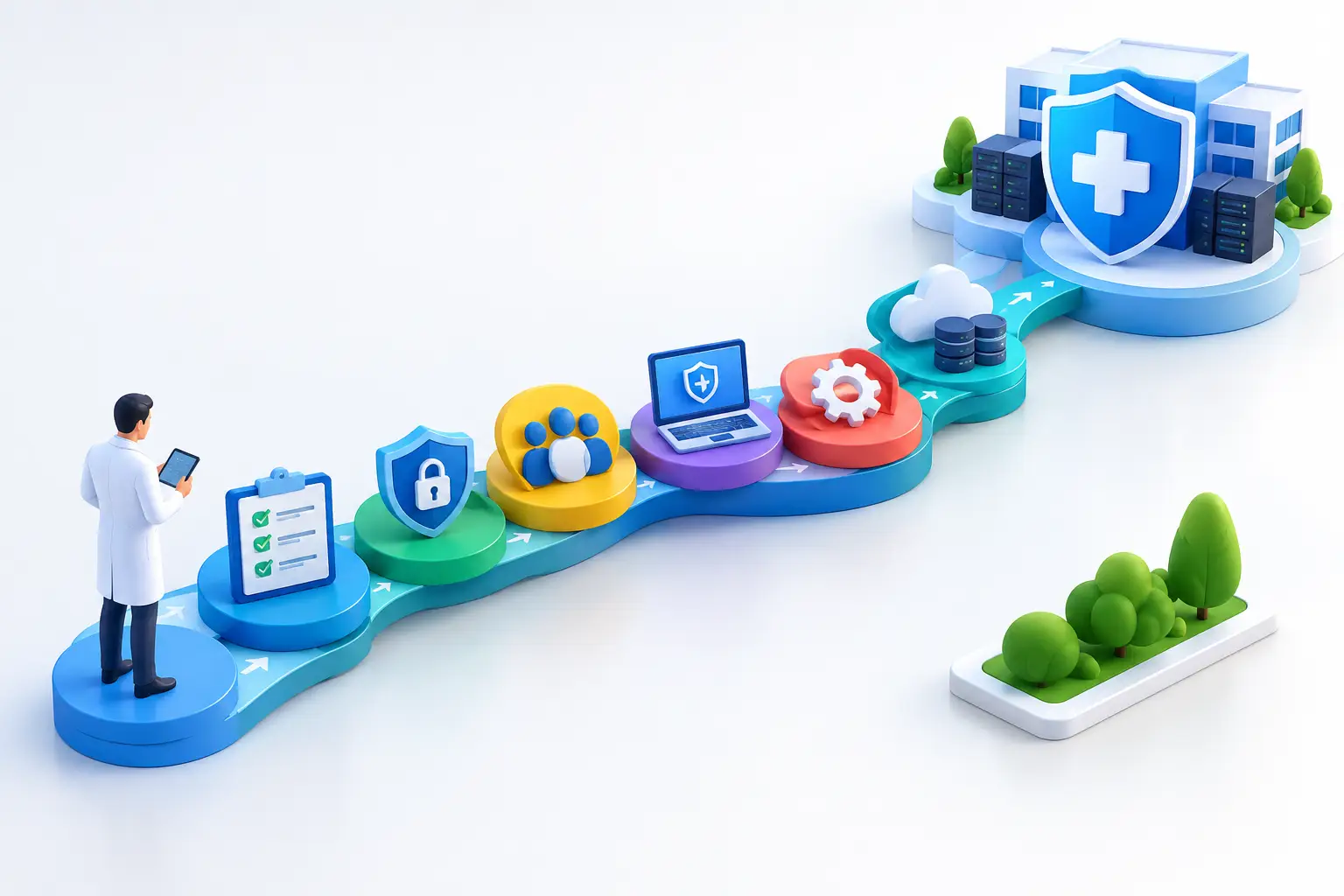
7 Steps for a Healthcare IT Compliance Roadmap
A compliance failure rarely starts with a dramatic breach. More often, it begins with an inactive employee account that was never removed, an unencrypted laptop left in a car, or a backup that cannot be restored when it matters. For healthcare organizations, a healthcare IT compliance roadmap turns those overlooked gaps into defined responsibilities, documented controls, and measurable progress.
For a physician practice, specialty clinic, billing company, behavioral health provider, or healthcare-adjacent business, the goal is not to create paperwork for its own sake. The goal is to protect electronic protected health information (ePHI), keep care and operations moving, and demonstrate that reasonable safeguards are in place when regulators, insurers, partners, or patients ask questions.
Why a Healthcare IT Compliance Roadmap Matters
HIPAA compliance is not a product you buy or a one-time project you complete. It is an operating discipline. The HIPAA Security Rule requires administrative, physical, and technical safeguards, but it allows flexibility based on the organization’s size, capabilities, risks, and systems.
That flexibility is useful, but it also creates room for inconsistency. A small practice may rely on Microsoft 365, cloud-based electronic health records, mobile devices, and third-party billing platforms. Each may be appropriate for the business, yet each adds identities, data flows, vendors, and potential exposure points that need oversight.
A clear roadmap prevents compliance from becoming a collection of disconnected tasks. It gives leadership a sequence: understand where ePHI lives, identify risk, prioritize remediation, assign owners, test recovery, and revisit the plan as the business changes. It also helps distinguish between urgent security weaknesses and improvements that can be scheduled over time.
Step 1: Establish Ownership and Scope
Compliance cannot belong vaguely to “IT” or “the office.” Leadership should name a privacy and security owner, even if those responsibilities are shared across a small team. That person needs authority to coordinate decisions, maintain documentation, escalate risks, and confirm that policies are followed.
Next, define the scope. Inventory every location where ePHI is created, received, maintained, or transmitted. Include workstations, servers, laptops, smartphones, email, cloud storage, EHR platforms, imaging systems, VoIP tools, backup platforms, and vendor portals. Do not overlook paper workflows that later become digital records, remote employees, or staff who access systems after hours.
The scope should also identify business associates. A vendor that handles ePHI on your behalf may need a Business Associate Agreement, but a signed agreement does not remove the need to evaluate that vendor’s security practices.
Step 2: Perform a Real Risk Analysis
A risk analysis is the foundation of a healthcare IT compliance roadmap. It should identify where ePHI exists, the threats to its confidentiality, integrity, and availability, the vulnerabilities that could be exploited, and the likelihood and impact of each scenario.
A generic checklist is not enough. For example, asking whether encryption exists does not reveal whether a clinician’s laptop is actually encrypted, whether portable drives are controlled, or whether ePHI can be downloaded to unmanaged personal devices. The assessment needs evidence from the environment.
Document the findings in a risk register that ranks each issue by business impact and likelihood. A critical vulnerability affecting remote access or privileged accounts should not compete for attention with a lower-risk documentation improvement. This is where leadership can make informed decisions about budget, timing, and acceptable risk.
Step 3: Strengthen Identity and Access Controls
Most healthcare security incidents involve access in some form. The right person needs access to the right data for the right reason, and access should end quickly when a role changes or employment ends.
Start with unique user accounts. Shared logins make accountability nearly impossible and create unnecessary exposure when staff turnover occurs. Enforce multi-factor authentication for email, remote access, cloud applications, administrative accounts, and any system that stores or accesses ePHI.
Access should be based on job function, not convenience. Front-office staff, clinicians, billing personnel, and IT administrators have different needs. Periodic access reviews help catch excessive permissions, inactive accounts, and temporary access that became permanent. For smaller organizations, quarterly reviews may be practical. Higher-risk environments may need more frequent review.
Step 4: Secure Devices, Networks, and Data
Technical safeguards work best when they are managed as a connected system. Endpoint protection, patching, encryption, email security, network segmentation, secure Wi-Fi, firewall monitoring, and centralized logging each address different parts of the risk picture.
Encryption is particularly valuable for laptops and mobile devices because it reduces exposure if a device is lost or stolen. However, encryption alone cannot prevent account compromise. A well-protected device can still be misused if credentials are stolen through phishing or if a former employee retains access.
Healthcare organizations should also define how ePHI can move. Personal email, consumer file-sharing accounts, text messaging, and unmanaged USB drives are common sources of accidental disclosure. Staff need approved, usable alternatives. If the secure process is too difficult, employees will often create their own workaround.
Step 5: Build Resilience Into Backup and Recovery
Availability is a compliance concern as well as an operational one. If ransomware, hardware failure, or a cloud outage makes patient records unavailable, care delivery and revenue can be affected immediately.
A reliable backup strategy should protect critical systems and data, retain copies that cannot be altered by an attacker, and support recovery within a timeframe the organization can tolerate. The right recovery objectives depend on the practice. A clinic that needs same-day access to records has different requirements than an administrative healthcare services firm that can operate manually for a limited period.
Most importantly, test restoration. A backup status report only shows that a process ran. It does not prove that the data is complete, usable, and recoverable under pressure. Document test results, issues found, and corrective actions. This evidence supports both business continuity and compliance readiness.
Step 6: Document Policies and Train the People Who Use Them
Policies should reflect how the organization actually works. A 70-page template that no one reads will not protect the business. Clear, practical policies for access management, acceptable use, mobile devices, incident response, password security, remote work, vendor management, and data handling are more useful when staff can apply them.
Training needs the same practical focus. Employees should understand how to spot phishing attempts, handle misdirected communications, report a lost device, verify unusual payment or access requests, and escalate a suspected privacy incident quickly. Training should be repeated and documented, not treated as an onboarding-only activity.
Leadership should reinforce that rapid reporting is expected. Employees are less likely to hide an accidental click or misdirected email when they know the organization will focus first on containment and response rather than blame.
Step 7: Test, Measure, and Update the Roadmap
Compliance requirements and technology environments change. New applications, new providers, acquisitions, office moves, staffing changes, and expanded remote work can all alter the risk profile. The roadmap should be reviewed at least annually and whenever a significant change occurs.
Regular testing gives the plan credibility. Review audit logs, test incident response procedures, conduct phishing simulations where appropriate, validate backup restoration, and reassess vendors that handle sensitive data. Track remediation items to completion, including the owner, due date, evidence of completion, and residual risk.
What Good Progress Looks Like
A mature program does not mean every risk disappears. It means leadership can answer practical questions with confidence: Where is our ePHI? Who can access it? How are privileged accounts protected? Which vendors handle patient information? Can we recover from an outage? What risks remain, and who owns the plan to address them?
For many small and mid-sized healthcare organizations, internal teams do not have the time to monitor security events, patch systems, manage documentation, and advise leadership while also supporting daily operations. A managed IT and cybersecurity partner can provide the operational discipline, 24/7 monitoring, documentation support, and strategic guidance needed to keep the roadmap active rather than forgotten.
The best time to build a compliance program is before an audit notice, ransomware event, or patient complaint forces the issue. Start with a clear view of your environment, address the risks that matter most, and keep moving forward with evidence behind every decision.
